Skip to content
Alligator Jones
Menu

Finnish learning app

Think Finnish.

A little Finnish, every day.

Read a short story, try a useful phrase and return to the words you want to remember. The app brings Think Finnish book material into short browser exercises.

Try the first chapter free

Four short lessons and twenty checks are open to everyone. No account or payment card needed. The full app remains a restricted preview.

Ask about preview accessMy purchased learning

App purchases are not open yet. A lesson booking does not automatically unlock the app.

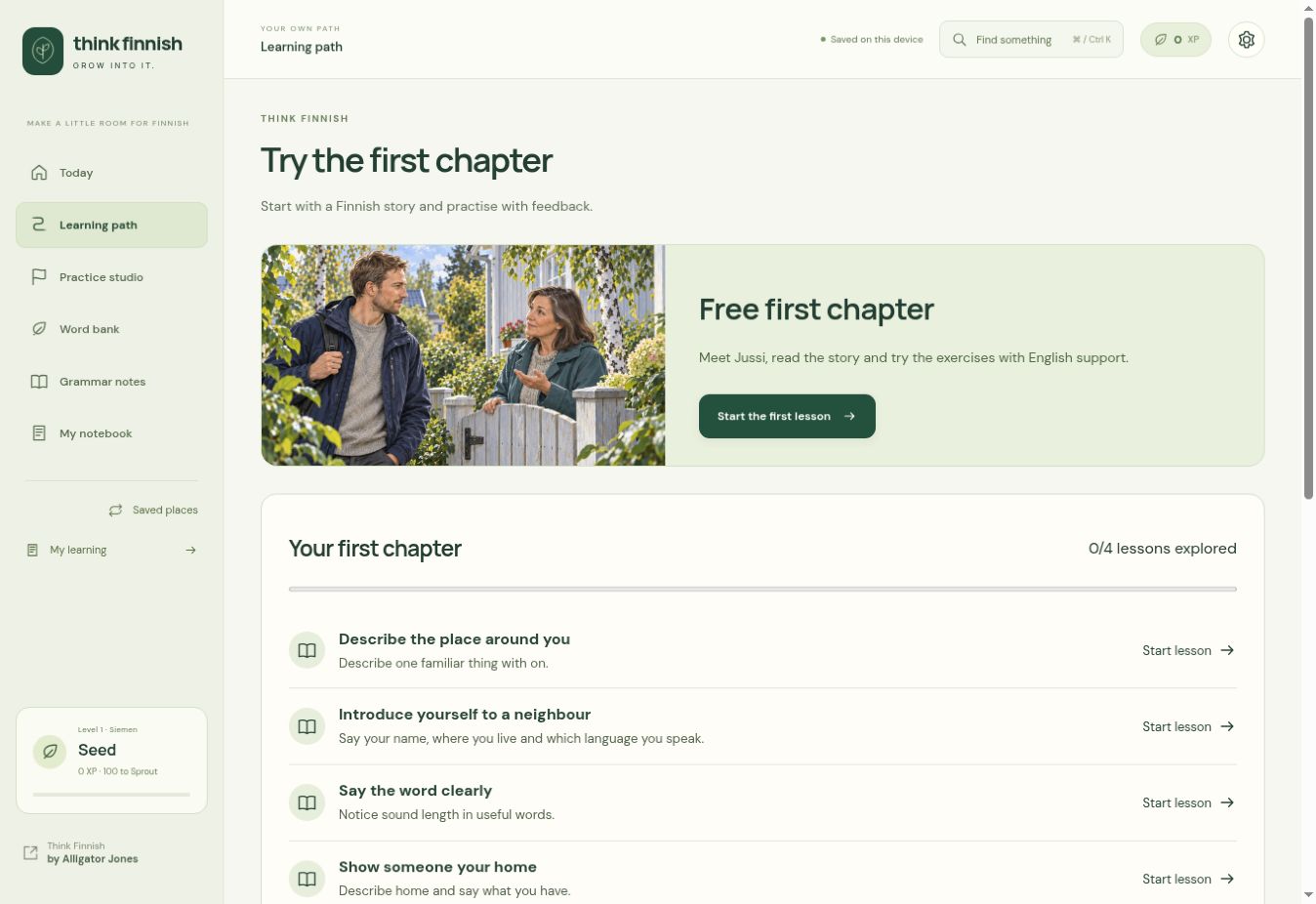
The actual Think Finnish app: illustrated first chapter, four everyday lessons and navigation to words, practice and a notebook.
Inside the current appSmall steps. Real Finnish.Actual app screenshot · preview edition 29

What can you practise?

Read. Reply. Try again.

Practise introductions, home and everyday encounters through illustrated stories and guided conversations. Read the explanation after checking an answer.

Grow your word tree

Connect familiar words to their word families. Explore everyday verbs and bring saved words and checked questions back for spaced review.

See how a sentence works

Move between place forms, build a sentence and follow the Verb Type Checklist. Keep your own sentences in the notebook; free writing is not automatically corrected.

Your first visit

Start with one short lesson.

The public trial opens here on the website without sign-in. Its four first-chapter lessons have English teaching text and Finnish examples. Your work lasts for the open-page visit; download the trial notes before leaving.

Open the first chapter
  1. Read a scene

    Open a lesson in chapter 1. Read the Finnish lines and use the English support when you need it.

  2. Try a reply

    Choose an answer, check it and read the explanation. You can return to the story model as you practise.

  3. Use a word of your own

    Open a word card for its meaning and example, then try your own sentence in the lesson notes.

Choose your way to learn

One Think Finnish. Different ways to practise.

The book gives the stories and explanations. The online course gives a guided lesson path. The app turns familiar ideas into short practice sessions. Personal teaching adds a real conversation and individual feedback.

The public app trial covers chapter 1. The full app is a restricted preview with English instructions and Finnish examples. Paid app access and automatic progress sync are not connected yet.

Open now · free

Start with Hiljainen Jussi

Six website lessons. No account or payment card needed.

Start the free course

App · access required

Practise in the app

Stories, word trees, sentence tools and review. Preview access is separate from website course access.

Ask about app access

Personal teaching · paid separately

Use Finnish with a teacher

Choose 1, 3 or 5 personal online lessons. Agree your schedule before payment.

Compare teaching packages

A place on your home screen

Keep Finnish close by.

You can use the app in your browser. If you want a home-screen icon, first open the actual Think Finnish app and make sure it loads with your access account. Add the app page from there.

Open Think Finnish
iPhone · Safari
  1. Open the app in Safari. Open the page menu and choose Share, or tap the Share button if it is already visible.
  2. Choose Add to Home Screen. Turn on Open as Web App if the option is shown.
  3. Choose Add. Open Think Finnish using the new icon.
Apple’s iPhone instructions
Android · Chrome
  1. Open the app in Chrome and tap the three-dot menu beside the address bar.
  2. Choose Install and create shortcut, then Install, and follow the browser prompts. Menu wording can vary by version.
  3. Open Think Finnish using its new icon. You can also keep using the browser link.
Google’s Chrome instructions

The home-screen icon uses the same preview access. Keep an internet connection available when opening the app.

Your own learning space

Keep what you have learned.

The app saves lessons, words, notes and drafts in the browser you use. Signing in gives access to the preview; progress does not automatically sync between devices.

Make a backup before changing devices or clearing browser data. If the home-screen app opens without your progress, import your backup there.

Save a progress backup
  1. In the app, open More and choose Settings & backups.
  2. Find Keep your progress and choose Export progress.
  3. Keep the downloaded Think-Finnish-progress JSON file somewhere you can find it again.
Open the app’s learning space
Continue on another device
  1. Transfer your backup file to the other device and open the same Think Finnish app there.
  2. Open More, then Settings & backups. Choose Import backup and select your JSON file.
  3. Review the import summary before confirming. Importing replaces the current progress in that browser, so export it first if you want to keep a copy.

The app and the free Hiljainen Jussi lessons keep separate progress records. Restore an app backup in the app and a course backup in the course.